Your MOT (Memorandum of Transfer) must be completed for you — and your proxy — to be eligible to vote. Here's how to check your status in 3 steps. 您本人和您的委托代表,MOT(转让备忘录)都必须完成才符合投票资格。以下 3 个步骤教你查询自己的状态。
Open the official Selangor land office payment check portal in your browser. 在浏览器打开雪兰莪州土地局的官方缴费查询网站。
Open e-Tanah portal打开 e-Tanah 网站You can find these details in your SPA (Sale & Purchase Agreement), or ask the Management Office. 以下资料可以在您的 SPA(买卖合约)里找到,或询问管理处。
Tingkat — take the floor you live on and add 1. For example, if you live on the 29th floor, enter 30. Bangunan — 用 "M1" 加上您的 block 字母,例如 Block A 就填 M1A。
Tingkat — 您的楼层数字再 +1。例如住 29 楼,这里填 30。
After filling in the form, click "Cari" (Search), then select "Bayar" (Pay) on your unit to view the record. 填写完成后,点击 "Cari"(搜索),再选择自己的单位旁的 "Bayar"(付款)查看记录。
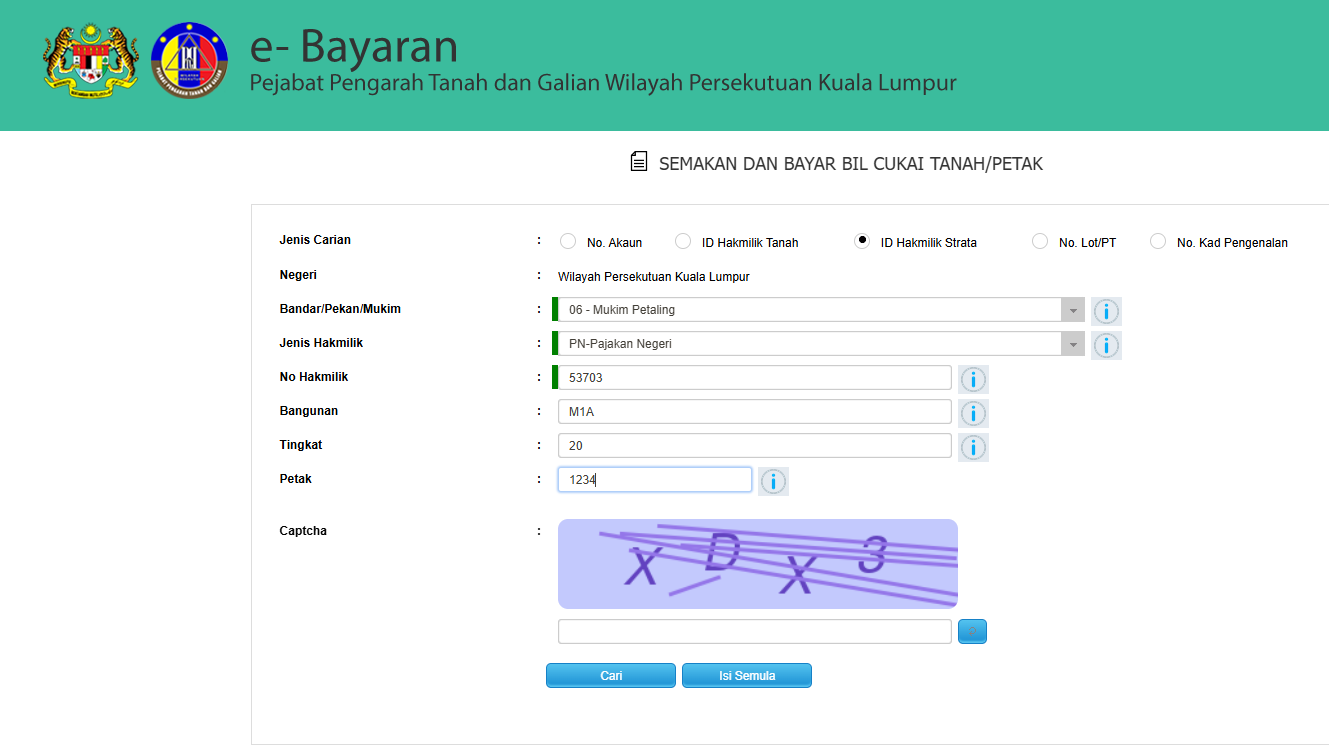
Example of the search form filled in. 搜索表格填写示例。
The page will show the registered owner's name for your unit. 页面会显示您单位目前登记的业主名字。
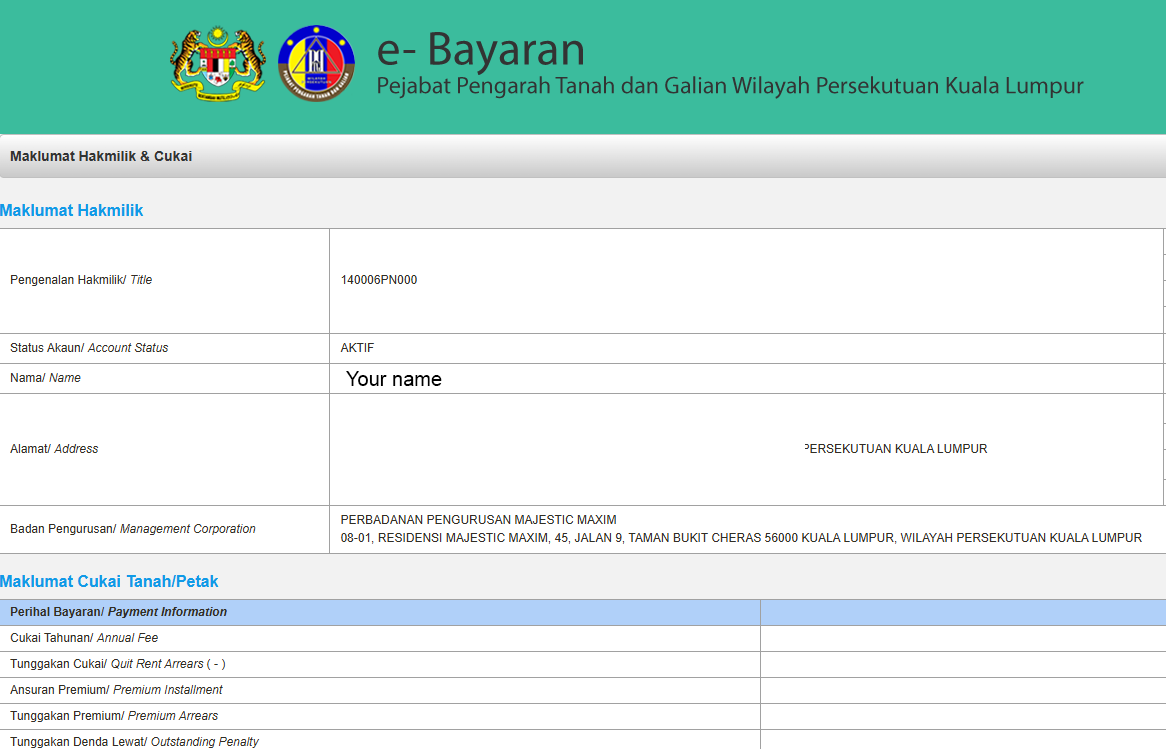
Example of the result page showing the registered name. 结果页面显示登记名字的示例。
Your MOT is completed. Take a screenshot — it may be useful on voting day. 代表您的 MOT 已经完成。请截图保存,投票当天可能会用到。
Your MOT has not been completed yet. 代表您的 MOT 尚未完成。